
Oura Cardiovascular Age: What It Means and Where to Find It
Find your Oura Cardiovascular Age, understand how it differs from VO2 max, troubleshoot missing readings, and display Cardio Age on your Home Screen.
Oura Cardiovascular Age estimates how your cardiovascular system compares with your actual age. It is a separate measurement from your daily Readiness Score and your VO2 max estimate. You can find it under My Health → Heart Health → Cardiovascular Age in the Oura app. Oura's Cardiovascular Age guide
If you want to check the number regularly, start by confirming that Oura has a reading. Then choose whether you want the detailed view in Oura or a quick glance on your Home Screen.
What does Cardiovascular Age measure?
Oura uses the optical pulse signal recorded by the ring to estimate age-related characteristics of your cardiovascular system. Its model draws on the relationship between arterial stiffness and pulse wave velocity. The ring does not directly measure how fast a pulse travels between two separate points in your body. How Oura estimates Cardiovascular Age
Treat the result as an estimate with context, not a literal age for your heart or a diagnosis. A single number cannot describe your overall health.
How to read your result
Oura labels a result Below when it is at least six years younger than your age, Aligned when it is within five years in either direction, and Above when it is at least six years older. The metric changes slowly; a different result tomorrow is not a useful goal. Oura's explanation of the levels
For example, “Aligned” does not mean your estimate must match your birthday age exactly. Read the label alongside the number and use the history in Oura when you want to understand a change.
Why is my Cardiovascular Age missing?
The feature needs a Gen3 or later ring, an active membership, and at least 14 nights of data within the previous 30 days for its initial calibration. If you have enough nights but no reading, check the personal details in your Oura profile. Availability and calibration requirements
A widget cannot create a missing estimate. Check Oura first: if the metric is unavailable there, changing your Home Screen layout will not supply it.
Cardiovascular Age versus VO2 max
These answer different questions. Cardiovascular Age describes an estimated age comparison; Cardio Capacity describes estimated aerobic fitness through VO2 max. They are separate features, so their results need not move together. Oura's heart health overview
Our Oura VO2 max guide explains where to find Cardio Capacity and how to update its estimate.
Put Cardio Age on your iPhone Home Screen
Ring Widget displays the Cardio Age data available from your Oura account. It does not calculate a replacement estimate or provide a medical interpretation.
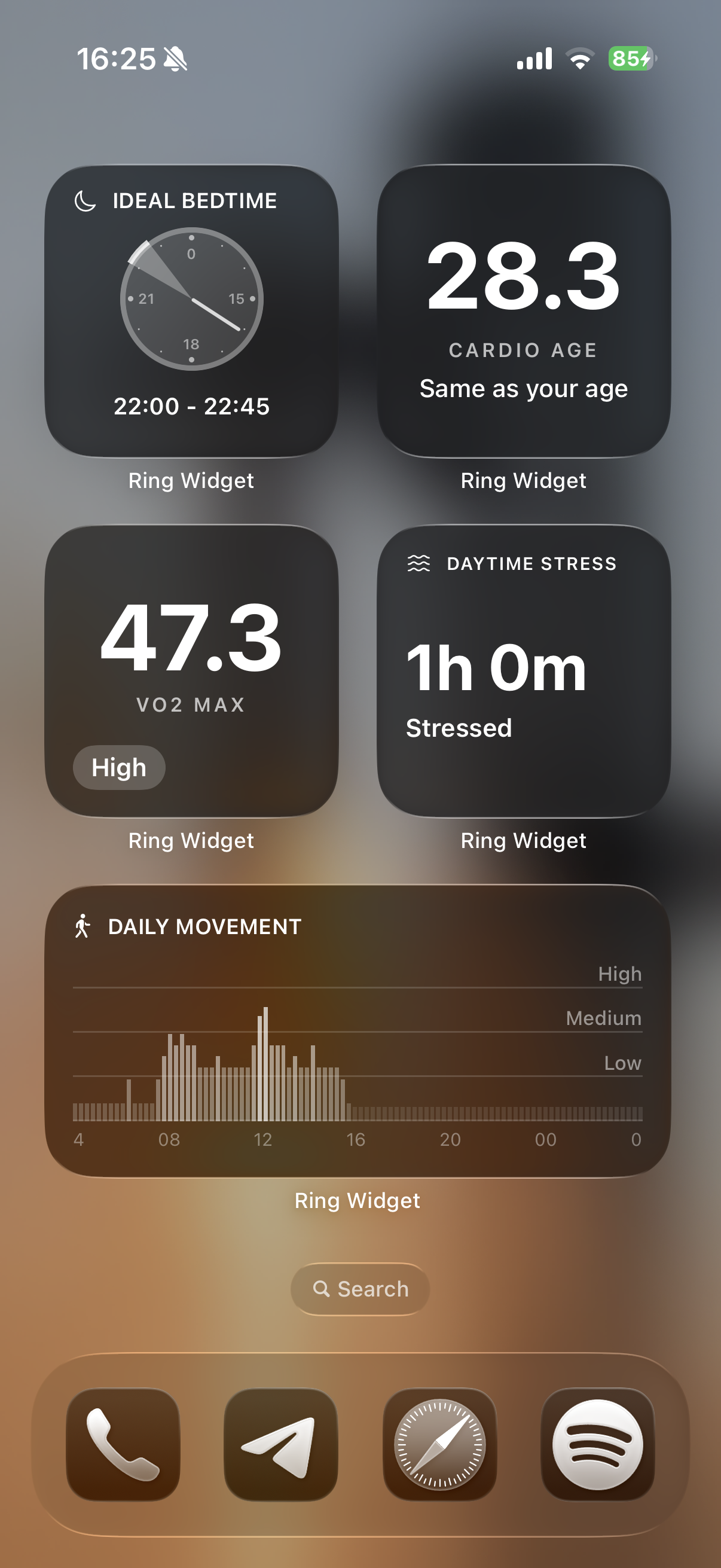
To set it up:
- Open Ring Widget and connect your Oura account.
- Open your iPhone's widget gallery and select Ring Widget.
- Choose a Cardio Age layout and add it to your Home Screen.
See our iPhone widget setup guide for the full steps. Keep the detailed Oura view for reviewing history; use the widget for a quick check. Apple controls widget refresh timing, so the display is not a live feed.
Download Ring Widget free to explore the layouts. Premium widgets require a purchase.